Internal concept · HID Global
Duality
An access system concept for small offices, from installer to employee.
Small offices want door access without an IT team. I designed Duality, a concept for the three people who touch it: installer, office admin, and employee.
- Role
- Product designer, end to end
- Status
- Internal concept, not shipped
- Year
- 2022
- Platforms
- Mobile app, door reader, web manager
- Methods
- User types, personas, service blueprint, user flows, mobile UI
- Outcome
- A full service concept across three roles
Duality is an internal concept and did not ship. Persona photos are stock. Names and emails in the screens are made up.
Problem
Small offices want door access that works like an enterprise system, without the setup work or an IT team.
Three people touch the system, each at a different stage. The installer puts in readers. The office admin sets up people and doors. Employees open doors all day.
What goes wrong without it
If any one of them struggles, the system fails. A bad install, a slow setup, or a door that won't open.
Research
I started with the people, not the product. I defined three user types and wrote personas for the two who set it up. Then I blueprinted every step, from installation to daily use.
How I learned
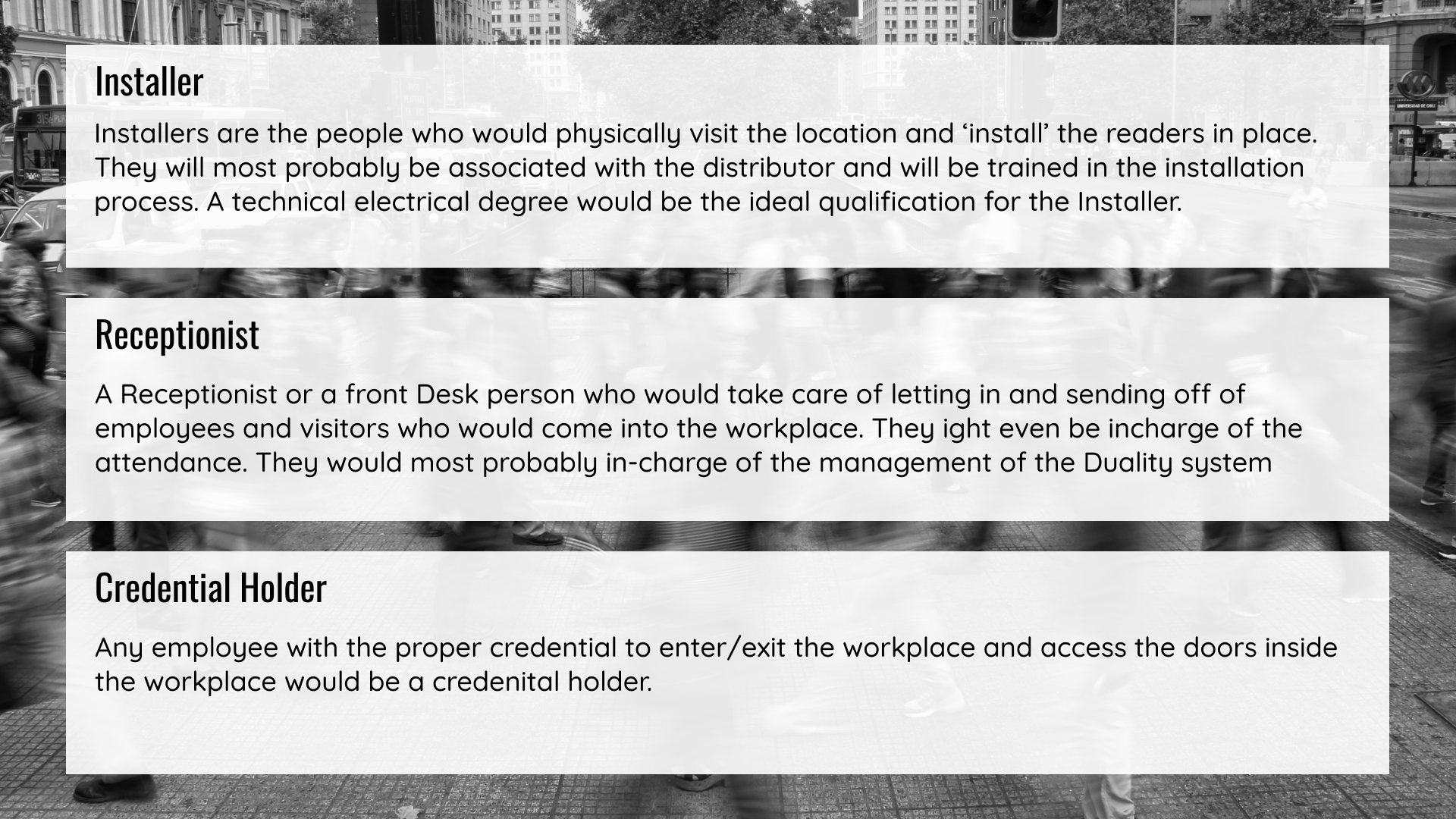
User types
Installer, office admin (the credential manager), and credential holder.
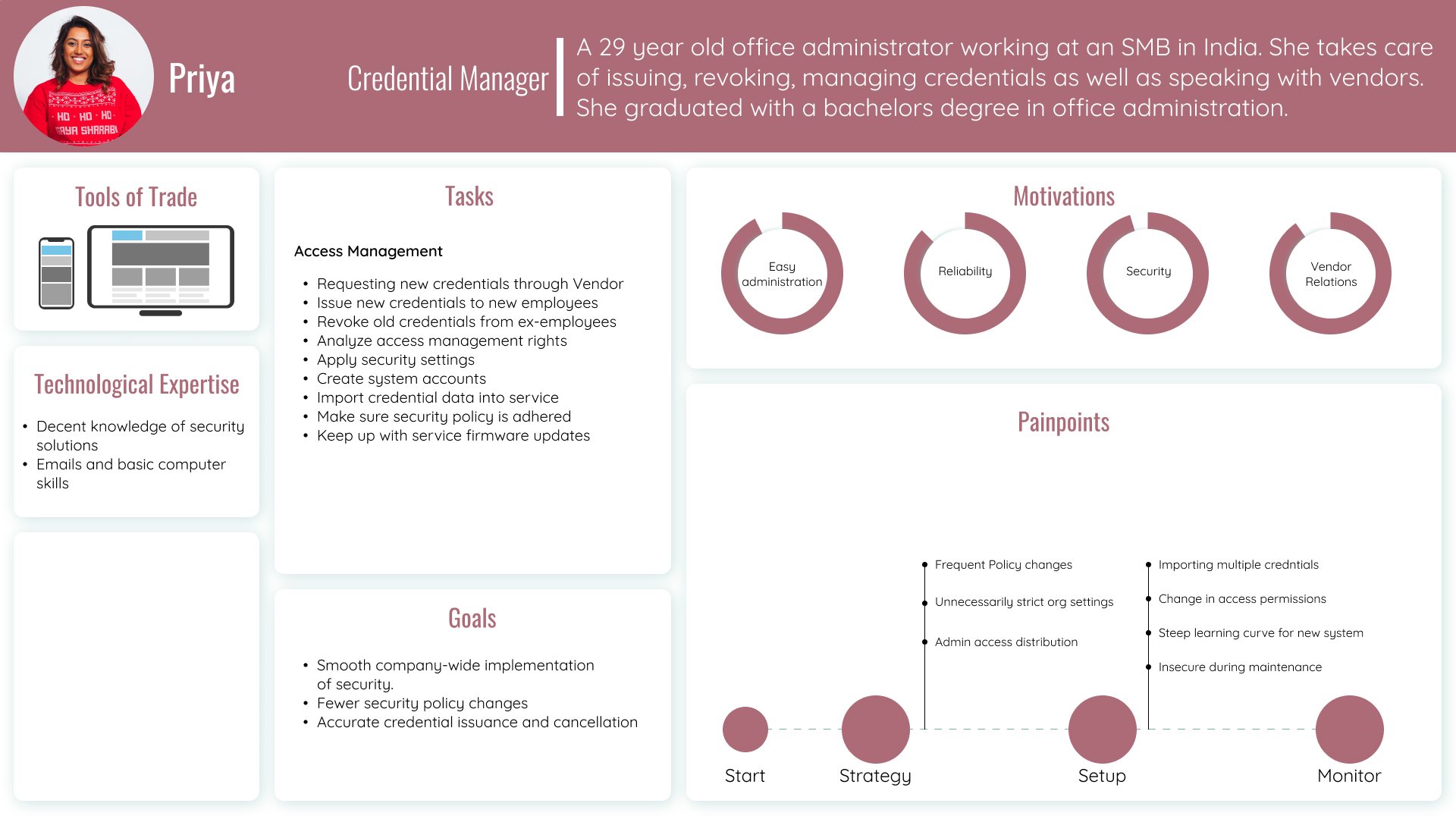
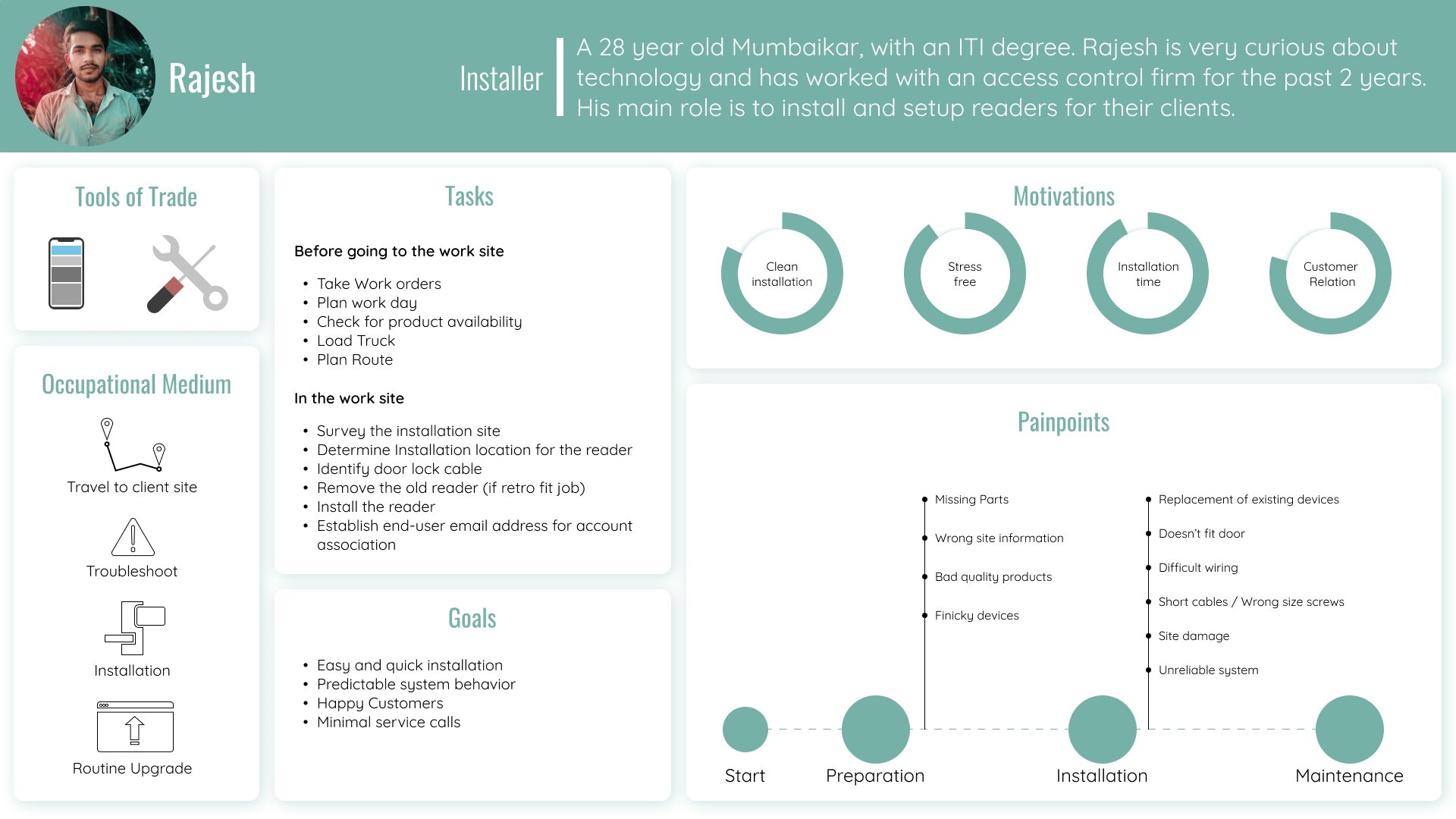
Personas
Rajesh, an installer, and Priya, an office admin at a small business in India.
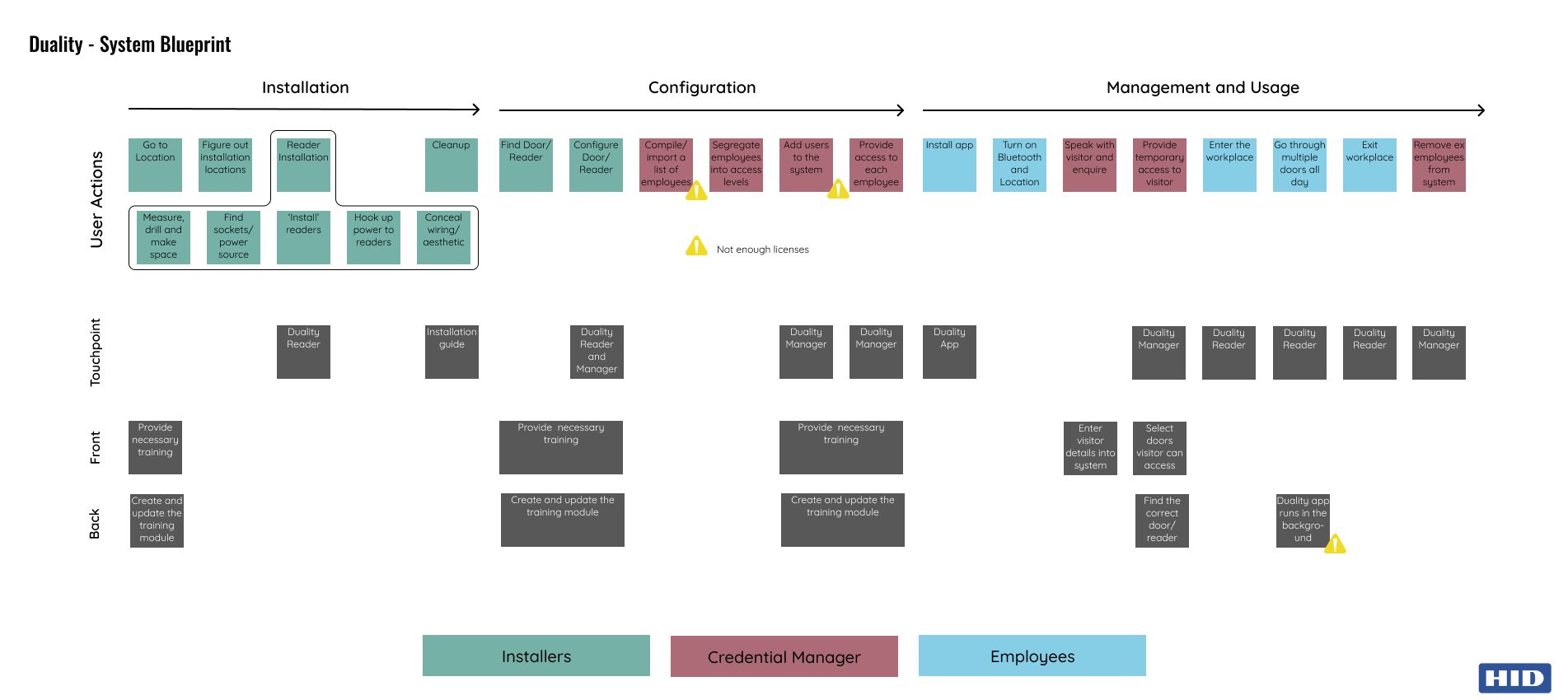
Service blueprint
User actions, touchpoints, and front and back stage, across all three stages.
What I found
Finding 01
Setup pain sits with the admin.
- What I saw
- Priya's pain points cluster at setup: importing many credentials, changing permissions, and a steep learning curve.
- What it changed
- Employees add doors by scanning a QR code and request access themselves. The admin approves instead of typing everything in.
Finding 02
Installers fear the unpredictable.
- What I saw
- Rajesh's pain points: missing parts, wrong site information, finicky devices, and an unreliable system.
- What it changed
- Predictable system behavior became a goal, with an installation guide as its own touchpoint.
Finding 03
The blueprint exposed two weak points.
- What I saw
- Admins could run out of licenses while adding employees. The app had to run in the background all day.
- What it changed
- Both became constraints for the admin tools and the app, not afterthoughts.
Research artifacts
Select an artifact to open it at full size.
Process
01Define
- Three user types
- Personas for the installer and the office admin
Output. A clear owner for each stage of the system.
02Blueprint
- Installation, configuration, and daily use
- User actions, touchpoints, front and back stage
- Pain points flagged where they occur
Output. One map of the whole service, across hardware, app, and admin tools.
03Flows
- A user flow for each role
Output. The handoffs between installer, admin, and employee.
04Design
- Employee app: attendance, doors, records, organizations
- Empty states, settings, and confirmations
Output. A mobile concept that covers an employee's full day. The trade-off: employees do a little setup themselves, and in exchange the admin approves instead of typing everything in.
Screens
The employee app, from adding a door to reviewing the week.
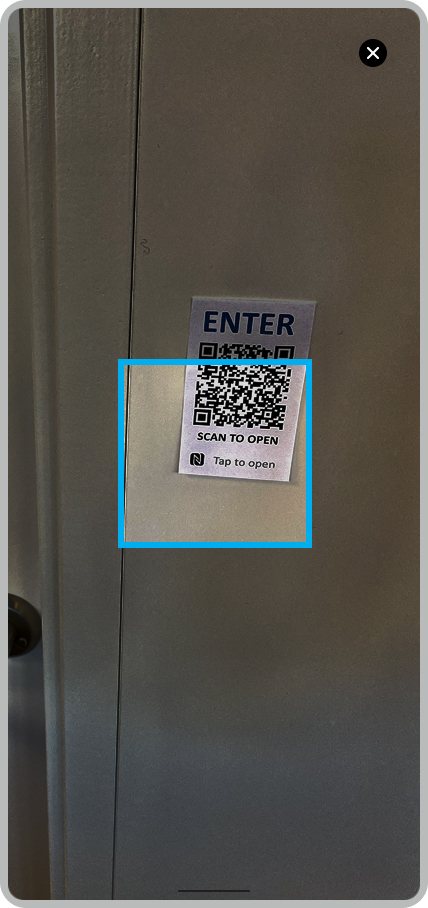
Employees add a door by scanning its QR code. 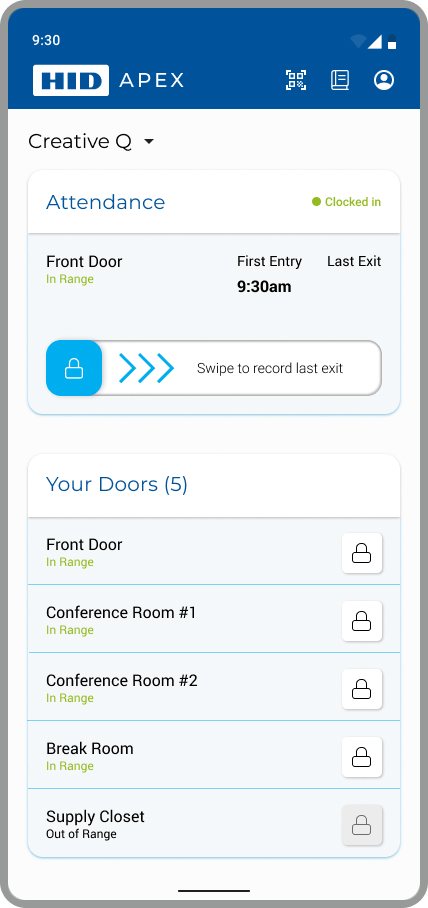
Home shows attendance and every door, marked In Range or Out of Range. 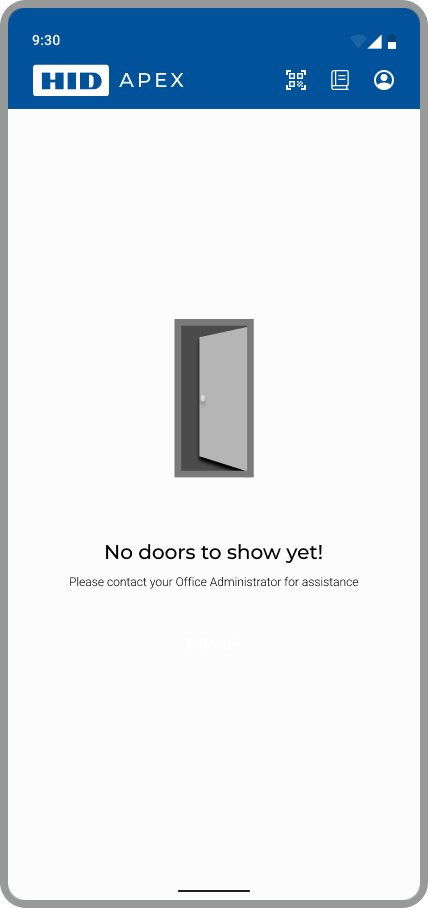
Before any doors are added, the empty state says who to contact. 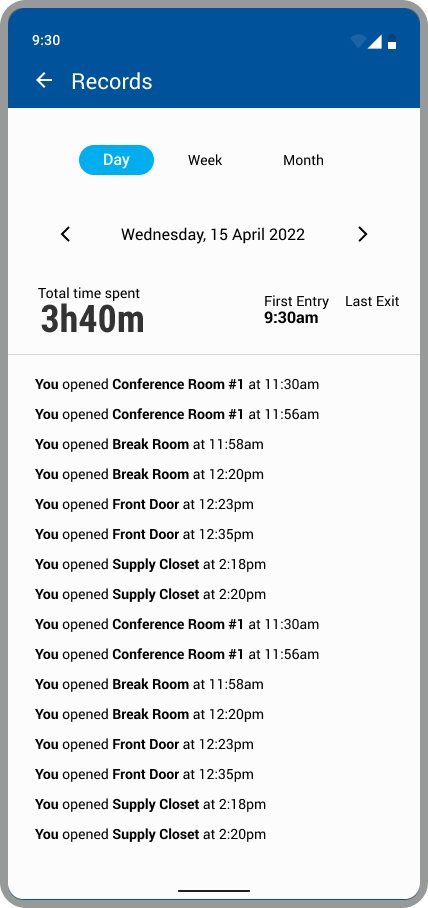
Records list each door opened, by day, week, or month. 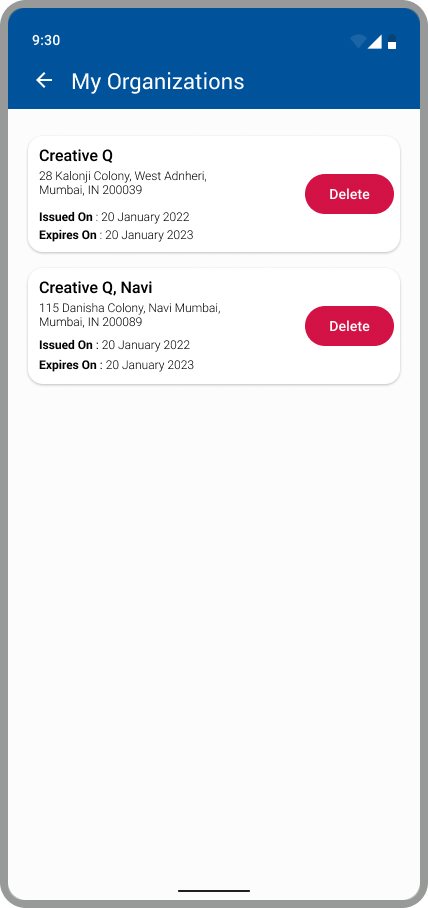
Employees can belong to more than one organization, each with its own expiry date. 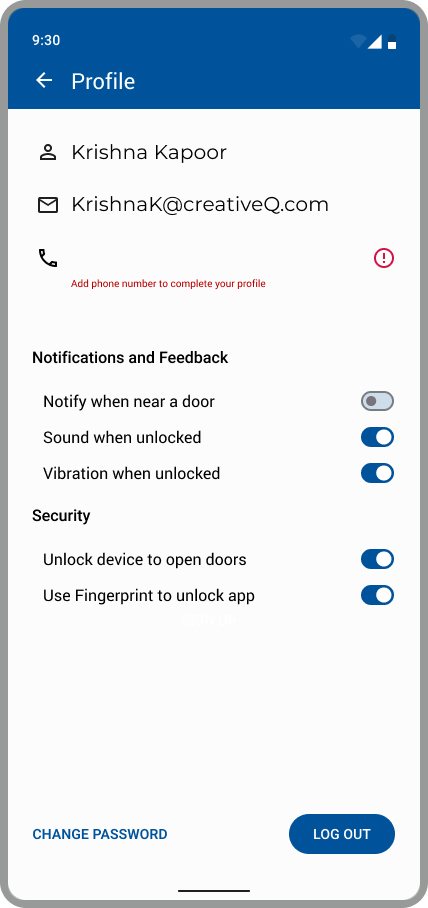
Settings cover door alerts, sound, vibration, and fingerprint unlock.
Principles I used
Visibility of system status
Home shows clocked in or out, first entry, and last exit.
Match between the system and the real world
Doors use the names staff already say: Front Door, Break Room, Supply Closet.
Error prevention
Leaving an organization explains what is lost and needs a checkbox before Delete.
Recognition rather than recall
Scan a QR code at the door instead of typing a door ID.
Accessibility notes
Status in words
In Range, Out of Range, Clocked in, and Clocked out appear as text.
Deliberate confirmations
Leaving an organization needs a checkbox and a clear Delete.
Outcome
- Status
- An internal concept. It did not ship.
- What it showed
- One access product has to serve three people at three stages. The blueprint shows where the service breaks between them.
- What I delivered
- User types, two personas, a service blueprint, a user flow for each role, and the employee app UI.
- What I'd do next
- Test setup with real office admins. The blueprint puts the most risk there.