Shipped product · HID Global
Self-Serve Audit Log
Audit history inside an enterprise admin portal.
When something broke, admins had to contact HID support and wait. I designed an audit log they can search themselves. Client tickets fell by a third.
- Role
- Product designer, end to end
- Team
- Product owner, engineering
- Year
- 2023
- Platforms
- Web admin portal
- Methods
- Journey mapping, user flows, stakeholder reviews, specs
- Outcome
- Shipped. Client tickets cut by a third.
Screens use sample data. Names in the tables are placeholders.
Problem
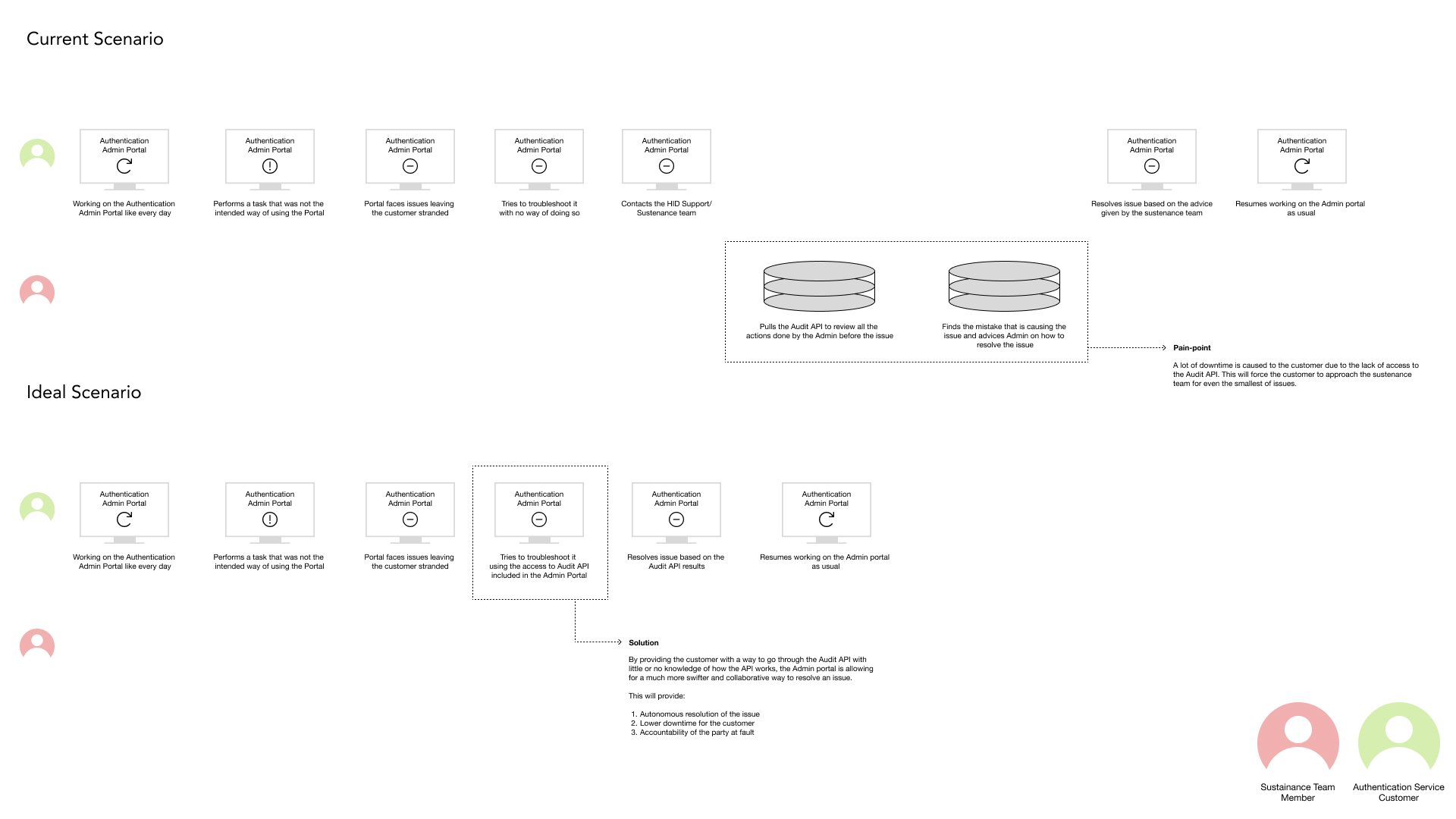
Admins run HID's authentication service from an admin portal. When they did something the portal didn't expect, it left them stuck, with no way to see what had happened.
Their only option was to contact HID's sustenance team. That team pulled the Audit API, found the mistake, and told the admin how to fix it.
What goes wrong without it
Every small mistake became a support ticket and downtime for the customer. The sustenance team spent its time reading logs for other people.
Research
I mapped the current journey against an ideal one, for both the customer admin and the sustenance team. The map showed exactly where the admin got stranded.
How I learned
Journey mapping
Current and ideal journeys for the customer admin and the sustenance team member.
User flow
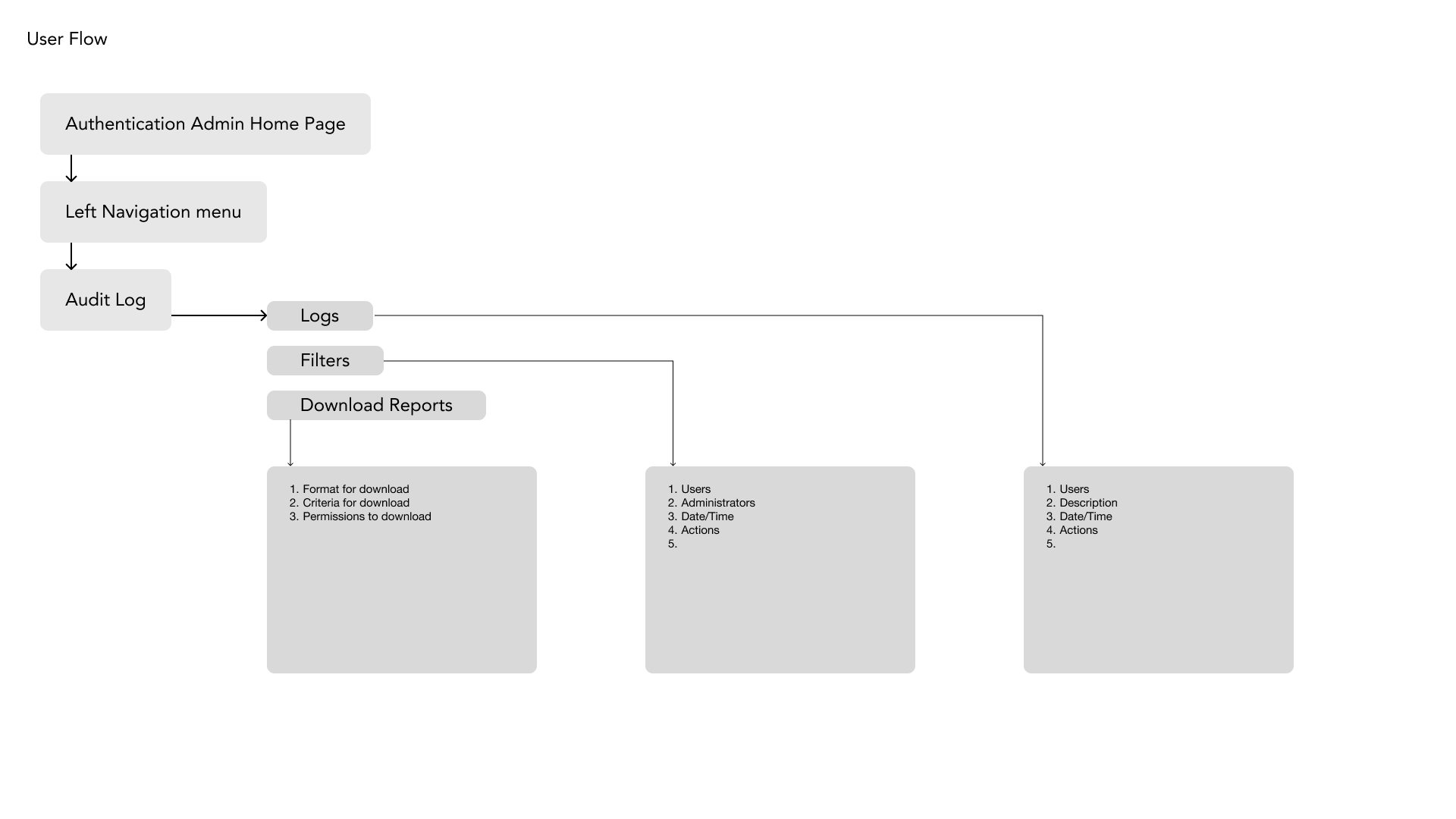
From the portal home to the log, its filters, and report downloads.
Stakeholder reviews
The journey map anchored reviews with the product owner and engineering.
What I found
Finding 01
The data existed. Access didn't.
- What I saw
- Everything the admin needed was already in the Audit API. Only the sustenance team could read it.
- What it changed
- Bring the audit trail into the portal, readable without knowing how the API works.
Finding 02
Waiting was the real cost.
- What I saw
- Admins went to support for even the smallest issues. The downtime came from the handoff, not the fix.
- What it changed
- Design for self-service: the admin finds the cause and fixes it in one sitting.
Finding 03
Both sides needed accountability.
- What I saw
- When something broke, the customer and HID both needed to know who did what, and when.
- What it changed
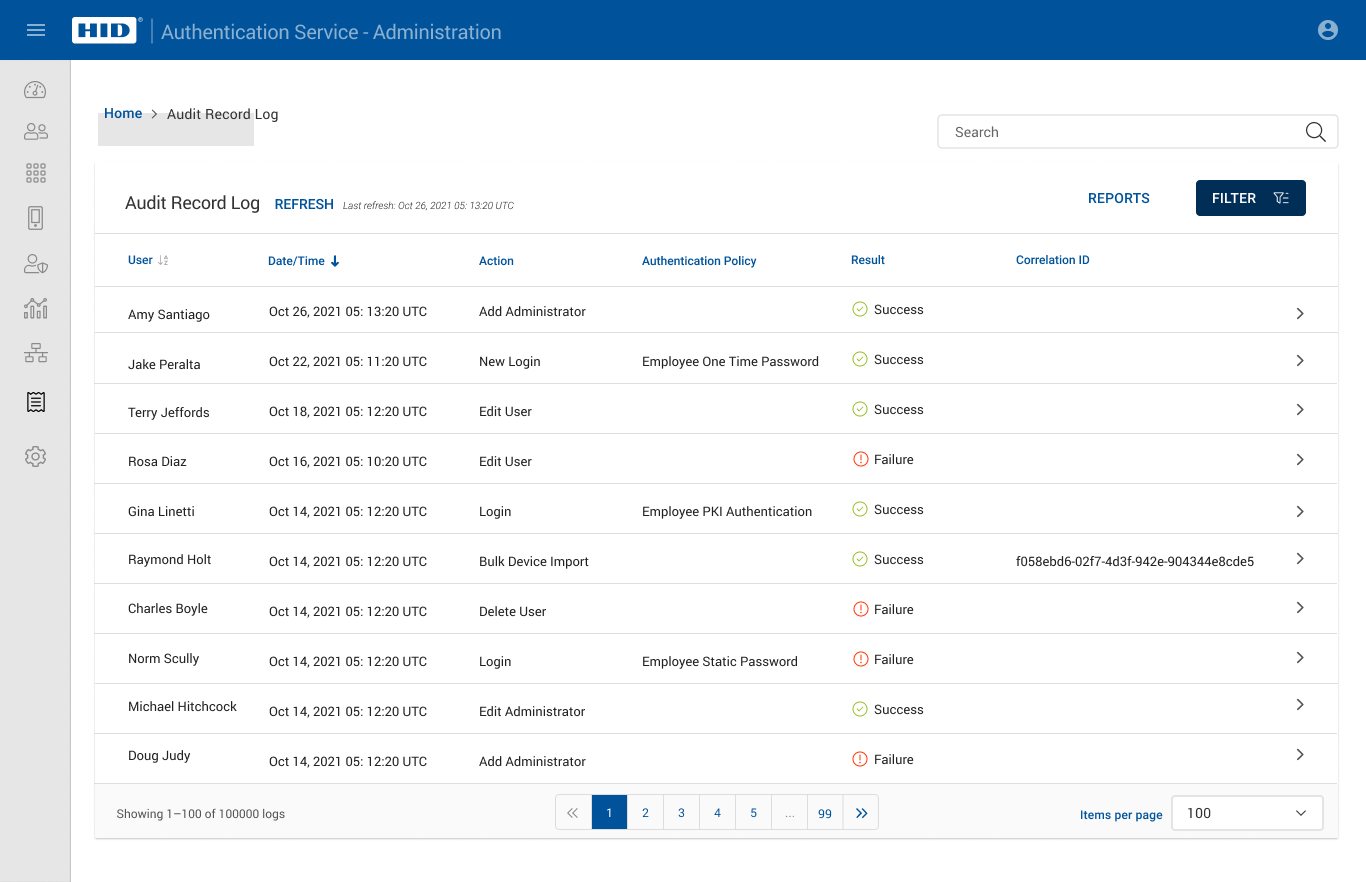
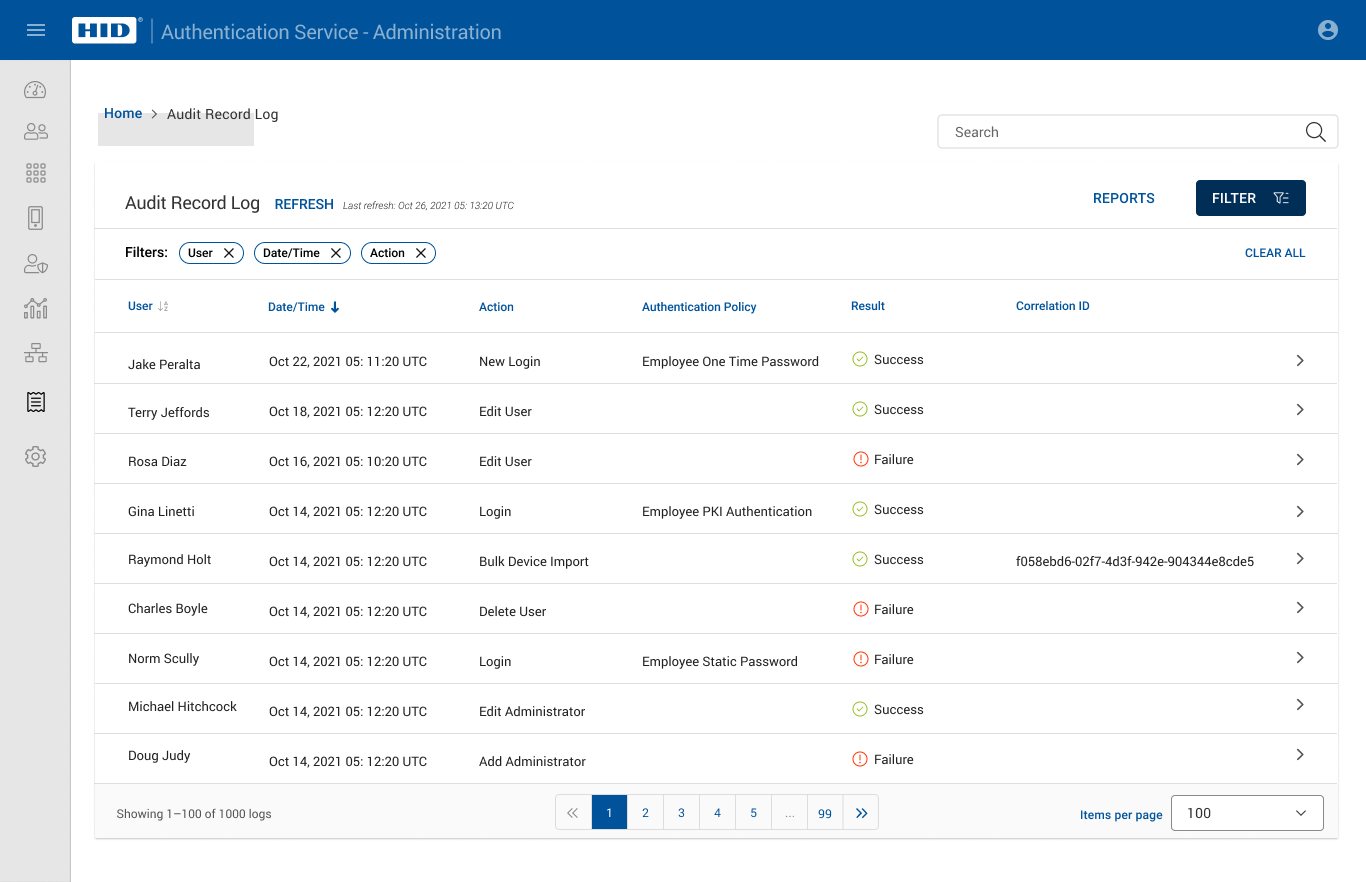
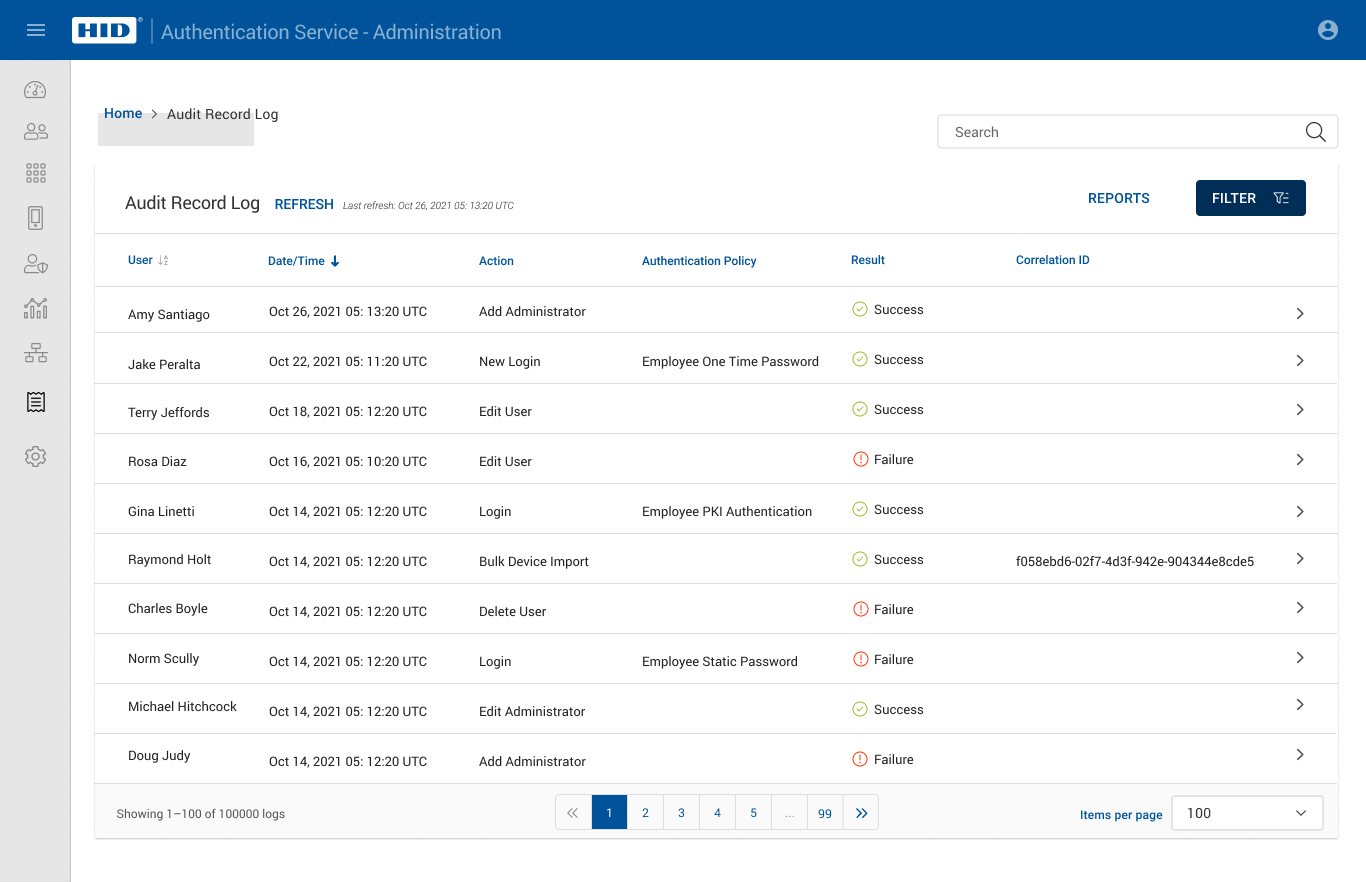
- Every row shows the user, the action, the policy, the result, and a correlation ID.
Research artifacts
Select an artifact to open it at full size.
Process
01Map
- Current and ideal journeys
- Pain point: downtime from the support handoff
Output. A shared picture of where admins get stuck.
02Align
- Reviews with the product owner and engineering
- The journey map anchored each discussion
Output. Agreement to bring the audit trail into the portal. The reviews also shaped the details of the experience.
03Design
- Log table with search and quick filters
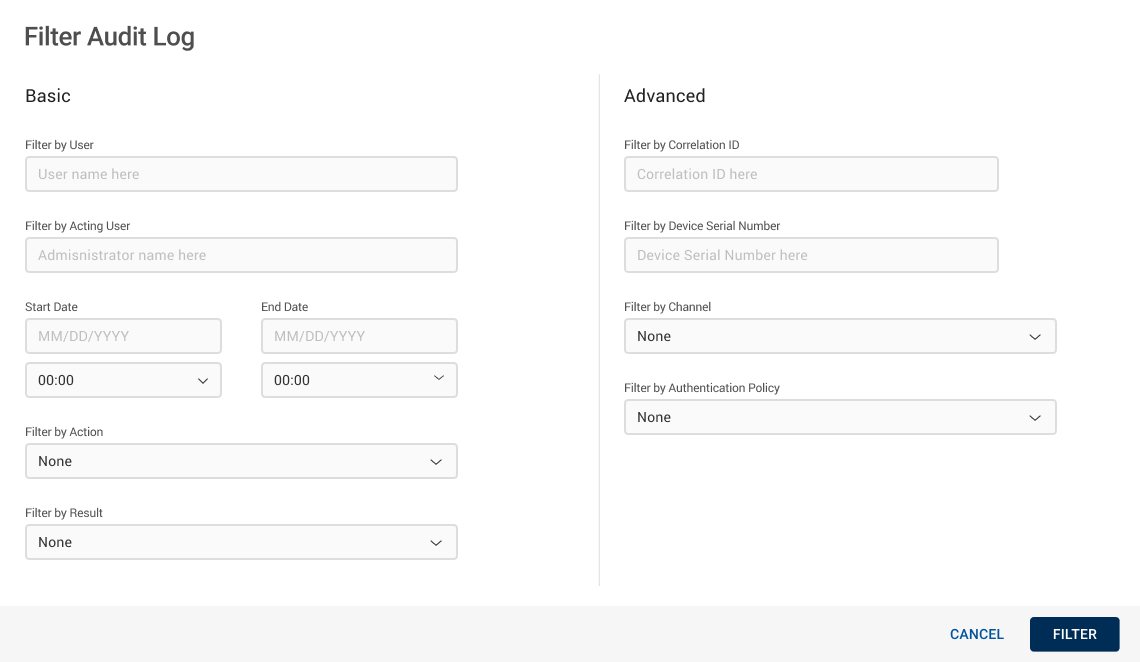
- Advanced filters: correlation ID, device serial, channel, policy
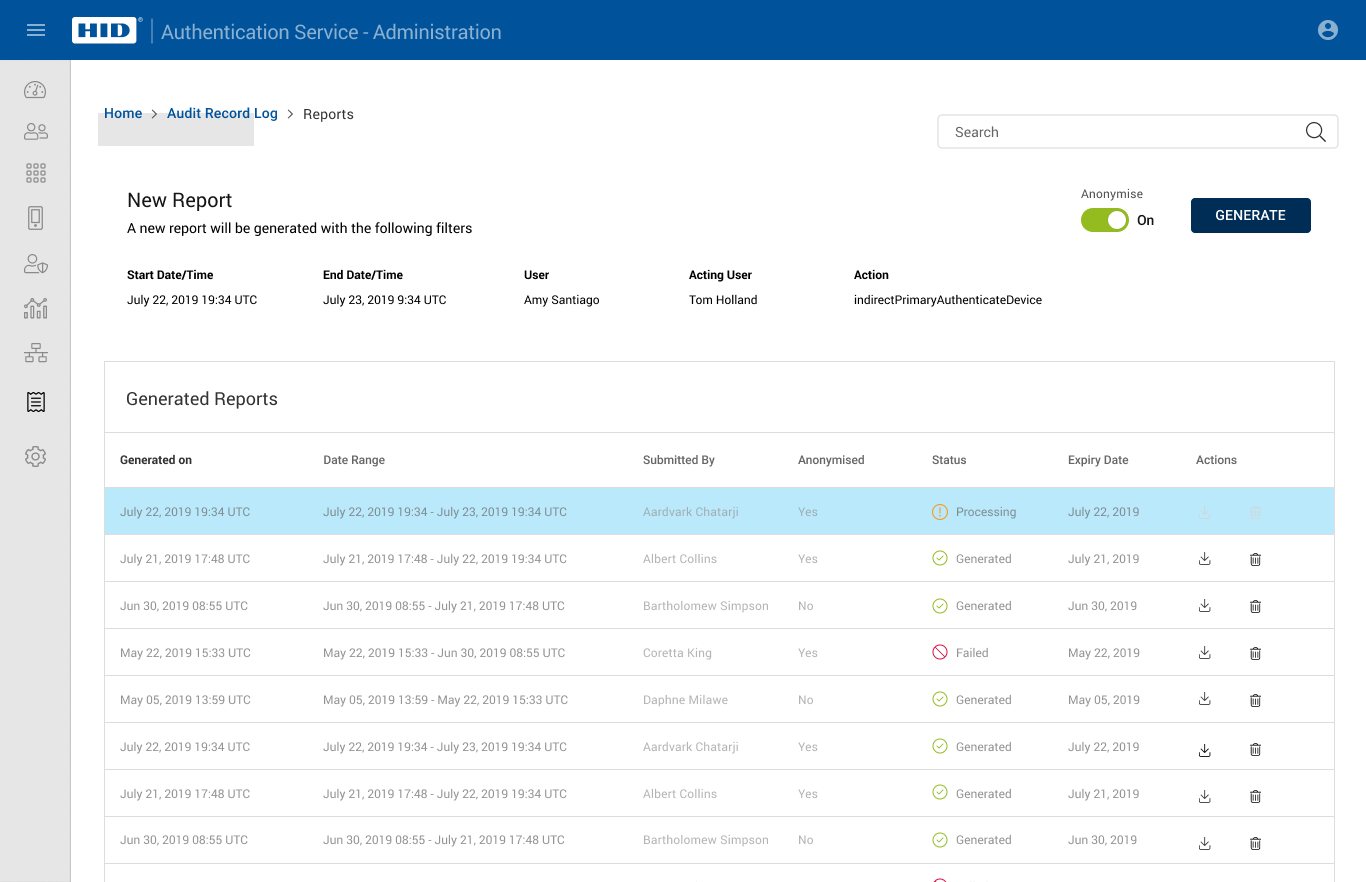
- Reports: generate, track, download, or delete
Output. A log admins can narrow from thousands of rows to the one that matters. Two trade-offs shaped reports. They build in the background, so admins wait for a file but keep a usable page. And they can be anonymized, trading names for privacy once a log leaves the portal.
04Ship
- Specs for every report state: processing, generated, failed
- Build reviews with engineering
Output. Shipped in the admin portal.
Screens
The shipped flow, from the log to a downloaded report.
Principles I used
Visibility of system status
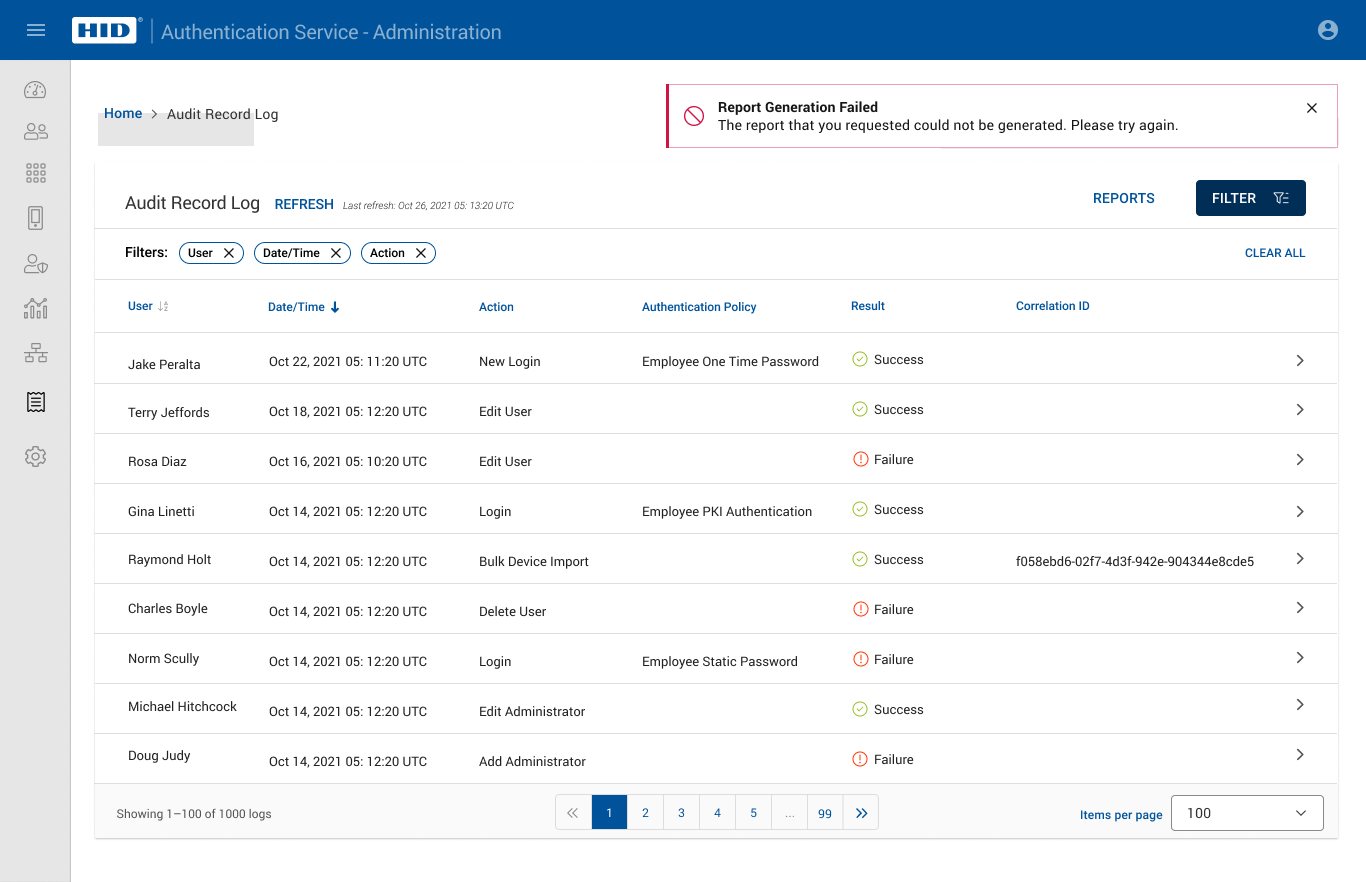
Each report shows Processing, Generated, or Failed. A banner confirms the result.
Recognition rather than recall
Active filters sit as chips above the table, so admins always see what they're looking at.
User control and freedom
Deleting a report or downloading the full log asks first. Cancel is always there.
Help users recover from errors
A failed report says so and asks the admin to try again.
Accessibility notes
Status in words
Success, Failure, Processing, Generated, and Failed appear as text with an icon.
Visible labels
Every filter field has a visible label, not just placeholder text.
Clear consequences
Delete and full-log download name what will happen before the admin confirms.
Outcome
- What changed
- Admins trace a problem to its cause in the portal, without waiting on HID support.
- Result
- Client tickets fell by a third of their original volume.
- The larger effect
- Fewer routine log lookups for the sustenance team, and a clear record of who did what on both sides.
- What I delivered
- Journey maps, the user flow, and specs for the log, filters, and reports.