Operational product · HID Global
A bulk operations console
Certificate voucher orders for partner organizations.
Red Dot Awards 2025 submission
Operators assign expiring voucher orders in bulk. They see failed rows before they confirm, and expired orders move to an archive.
- Role
- Product designer, end to end
- Team
- Design, product, engineering
- Year
- 2022-2026
- Platforms
- Web, desktop first, works on tablets
- Methods
- Information architecture, task flows, specs, user testing
- Outcome
- Queue sorted by expiry, bulk assignment from CSV with validation, and an archive
Screens are redacted. Customer, partner, and person names and emails are hidden.
Problem
Managing vouchers at scale was a queue problem. Orders expired unnoticed. Lists were raw, and people assigned vouchers in different ways. Records of past assignments were mixed into the live work.
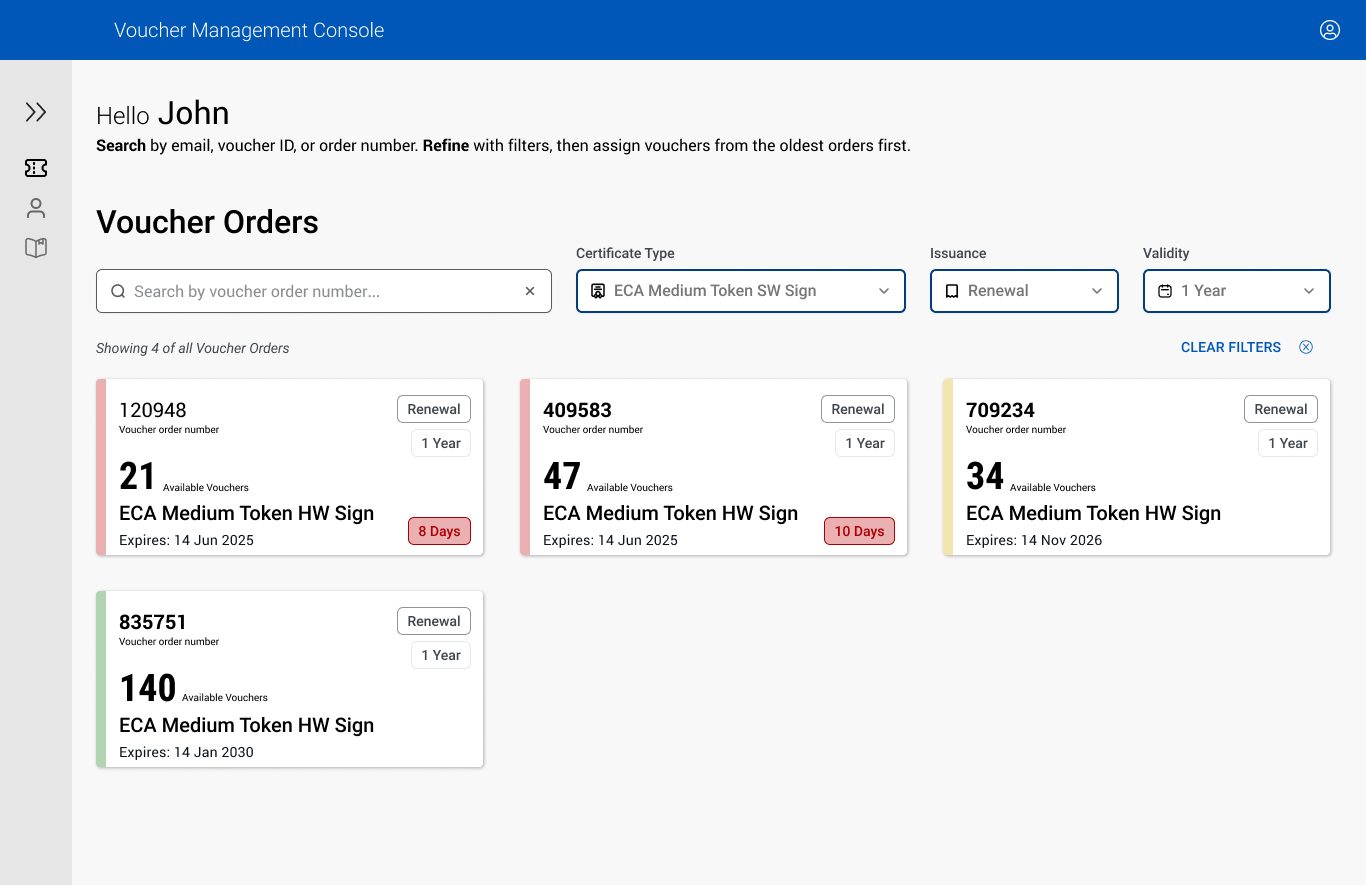
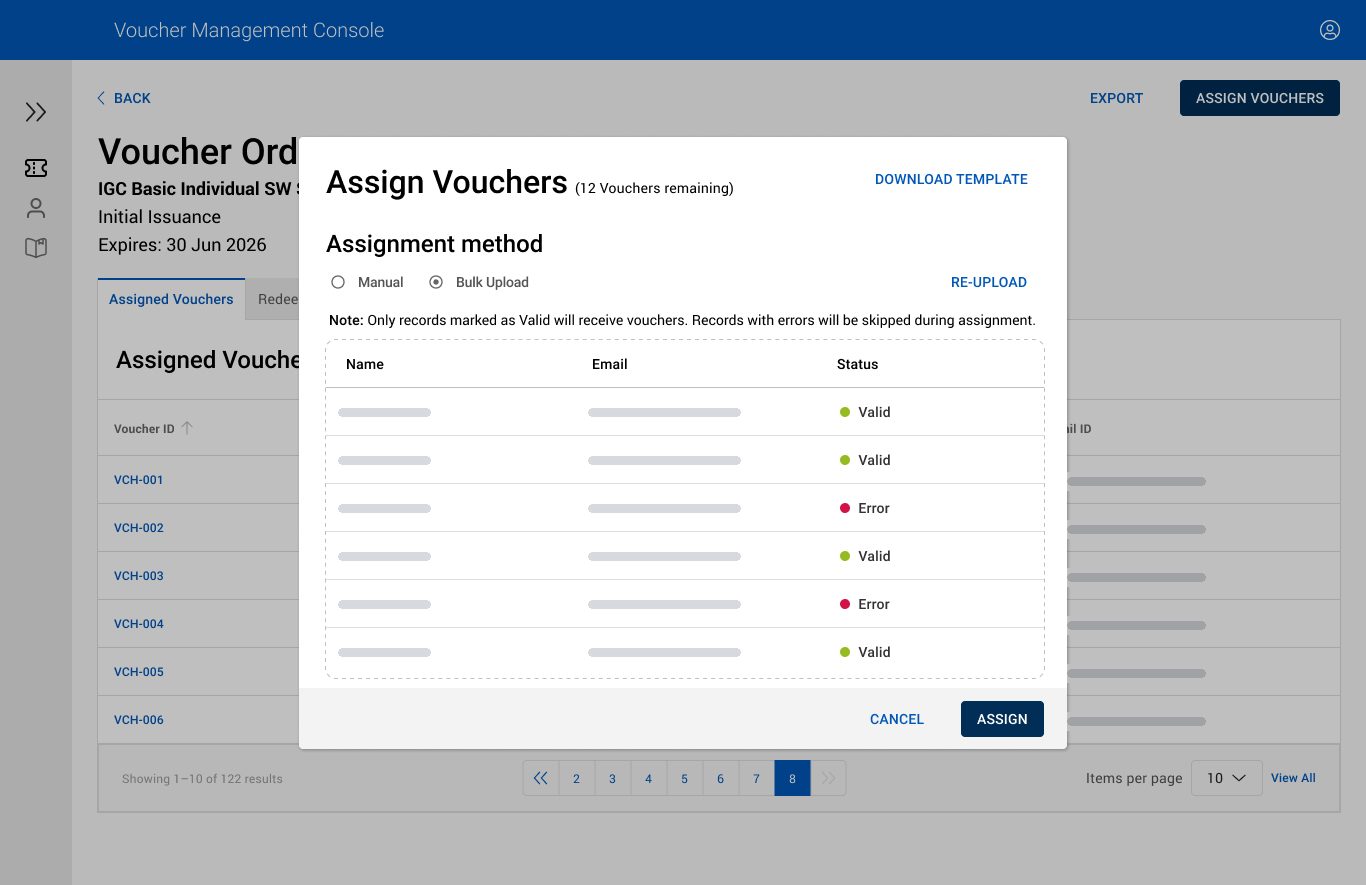
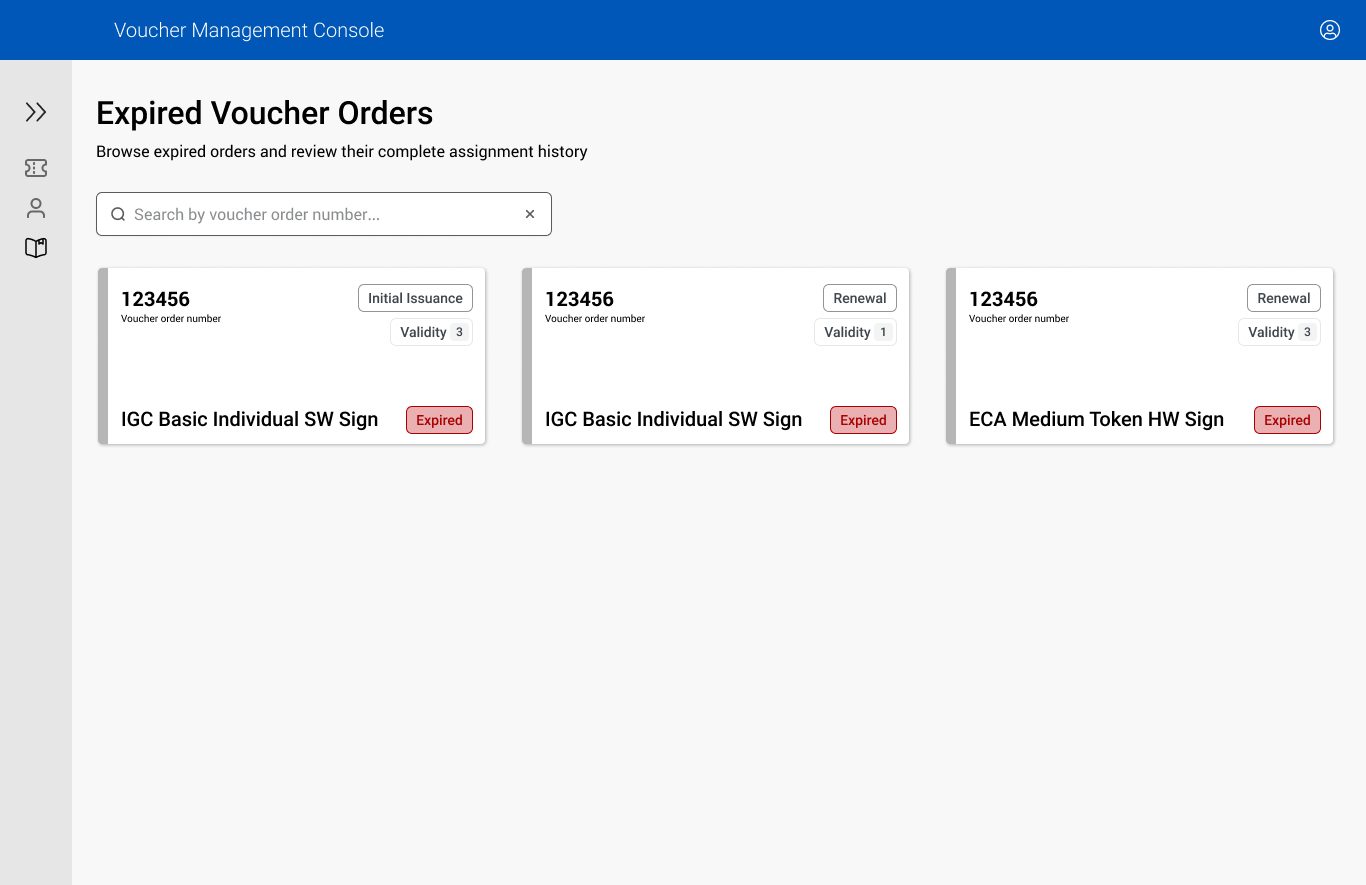
The design does three things. It puts expiring orders first, because those need a person. It checks a batch before anyone commits. And it moves expired orders out of the working list without deleting them.
Screens
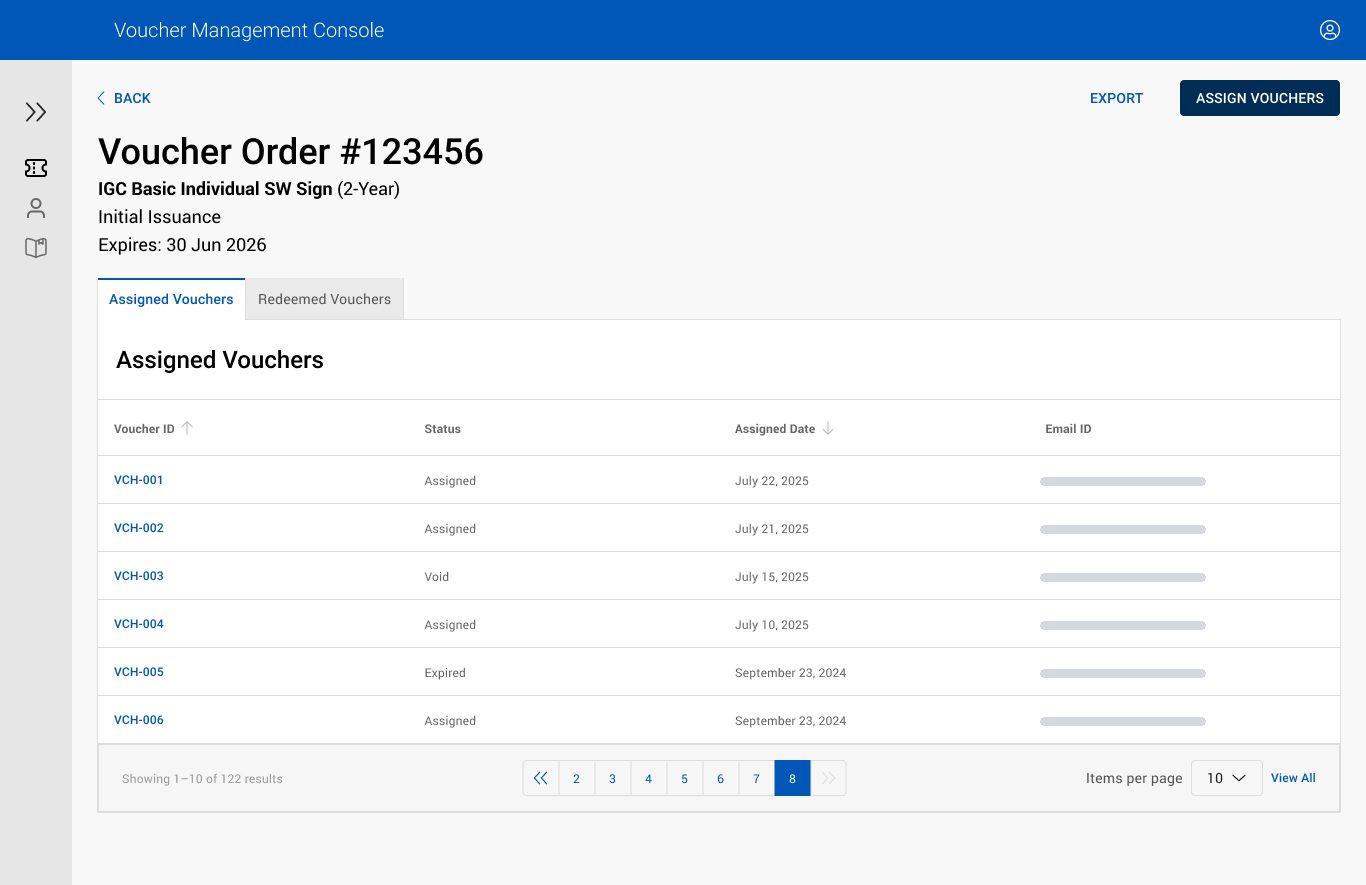
Four screens, in the order an operator sees them. Each caption names the decision it shows.
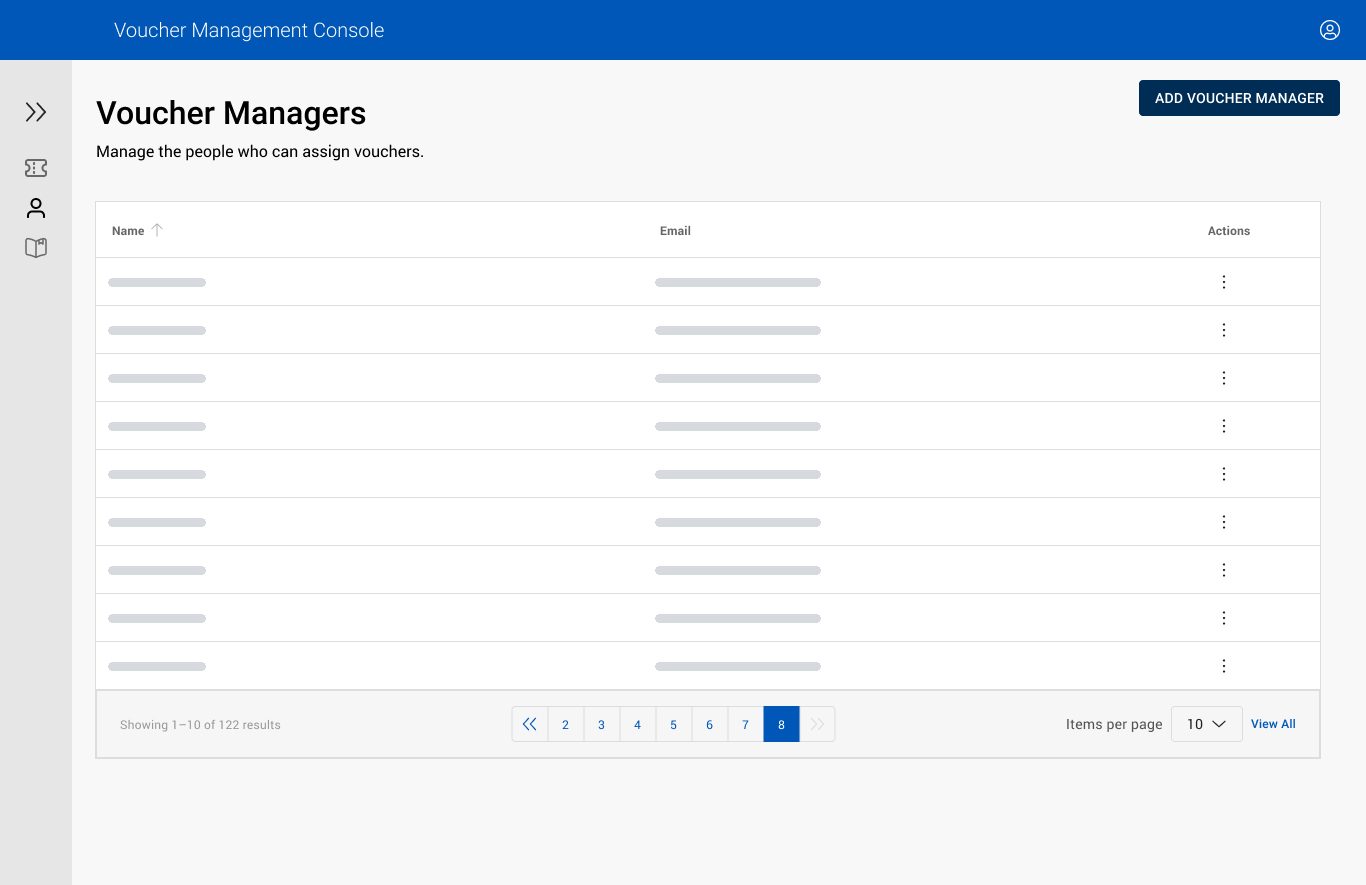
Registration Admin, Purchase Admin, and Voucher Manager each see different work.
Principles I used
Start with the job, not the screen.
The home list shows which orders expire soon, not which settings exist.
Treat partial failure as a result.
Invalid CSV rows are flagged before assignment. Only valid rows get vouchers.
Call each status the same thing everywhere.
Assigned, redeemed, expired. The archive uses the same order card as the live list.
Show what will happen before people commit.
Before Assign, the dialog shows how many vouchers remain and says rows with errors will be skipped.
Accessibility notes
Contrast
Text and status indicators meet WCAG 2.1 AA contrast.
Keyboard
Search, filters, the assign dialog, and tables all work with a keyboard.
Status in words
Valid, Error, and Expired appear as words. Color only backs them up.
Outcome
- What I delivered
- I took the console from sitemap to specs. It covers the order list, order details, CSV bulk assignment, the archive, and manager settings.
- What I'd do next
- Watch the week orders expire. If people still export failed CSV rows to fix them offline, the validation screen isn't done.